
 James Whitaker
Short answer: Linktree is not a safe home for an escort link in bio. Its rules allow links to adult content, but they ban advertising full-service sex work, and in January 2022 the company removed sex workers' pages overnight for exactly that. If your page links to bookings, rates or an escort profile, you're one report away from losing the link that every one of your bios points to.
Below is what the rules say today, what happened in 2022, what your options are, and how to set up a page that's made for this work.
Is Linktree allowed for escorts?
Partly. Linktree's Community Standards (effective April 9, 2025) let you link to adult content if it's legal where you are and you mark it as sensitive. The same section says you can't use Linktree to advertise full-service sex work.
The rules also ban:
- adult media on the page itself, including your avatar, link thumbnails, background and PDFs;
- embedded feeds that show adult content;
- collecting payments or tips for adult content through Linktree.
So an OnlyFans creator with a clean avatar is fine. An escort whose page has a booking form, an incall note or a link to an escort profile is not, even if nothing on the page is explicit.
What happened to sex workers on Linktree in 2022?
In January 2022 a wave of sex workers found their pages gone with one line: "This account has been removed due to inappropriate use of this service." Vice reported at least a dozen cases. Some had paid for the $9 Pro plan and lost it with no refund. One escort said her page had no explicit material at all, just her website, a booking form and safe-for-work accounts.
Linktree told Vice the bans were for sharing ads for real-life sexual services. In other words, the content of the links mattered, not how the page looked.
The real cost isn't the page. It's every bio that points to it. Instagram, X, Reddit, your ads, your OnlyFans – all of them send people to a dead link until you notice and fix each one by hand.
What gets an escort's link in bio page removed?
On general services the usual triggers are:
- a booking form or "book me" button;
- rates, durations or "incall / outcall" in a text block;
- links to escort directories or your escort profile;
- a report from someone who doesn't like what you do.
The last one is the one you can't control. Moderators act on reports, and a page that's within the rules on Monday can be checked again on Tuesday.
What are the options for an escort link in bio?
| Option | Good | Watch out for |
|---|---|---|
| Linktree | Well known, clients trust the URL | Full-service ads banned, 2022 bans |
| Other general link-in-bio services | Free plans, lots of designs | Rules differ and change, read each one's adult section |
| Your own website | Full control, your domain | Costs money and time, hosting rules apply too |
| TrystHub link in bio | Free, made for escorts, links to your catalog profile | Our rules still apply, booking and tours need a live profile |
A personal website is still the strongest option if you have the time to run one. For most independent escorts a link in bio does the same job in a minute, as long as the service actually allows this work.
How to set up a free TrystHub link in bio page
The TrystHub link in bio for escorts is free, needs no card and no ID check to start. Here's the whole setup.
1. Claim your @name
Type the name you work under. If it's free, your page lives at trysthub.net/@name. You sign up with email, Google or Face ID, and the editor opens right away.
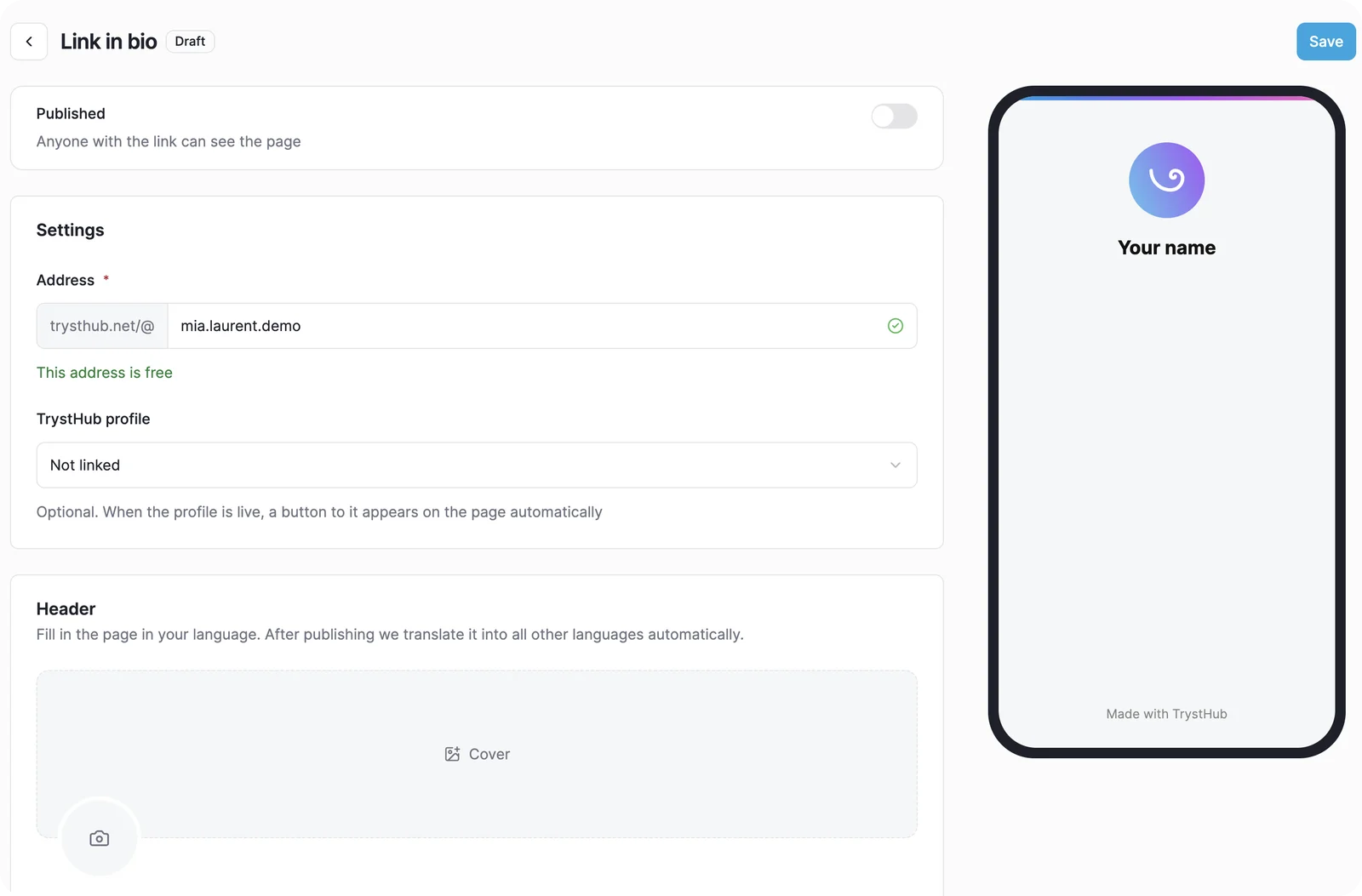
Pick the name you already use in your bios.
2. Add your blocks
The editor is a list on the left and a live phone preview on the right. Add blocks with a button, move them up or down with the arrows, click to edit. There are eight block types: link, socials, photos, text, section title, TrystHub profile, booking and tours. You can use up to 15 blocks and 20 photos.
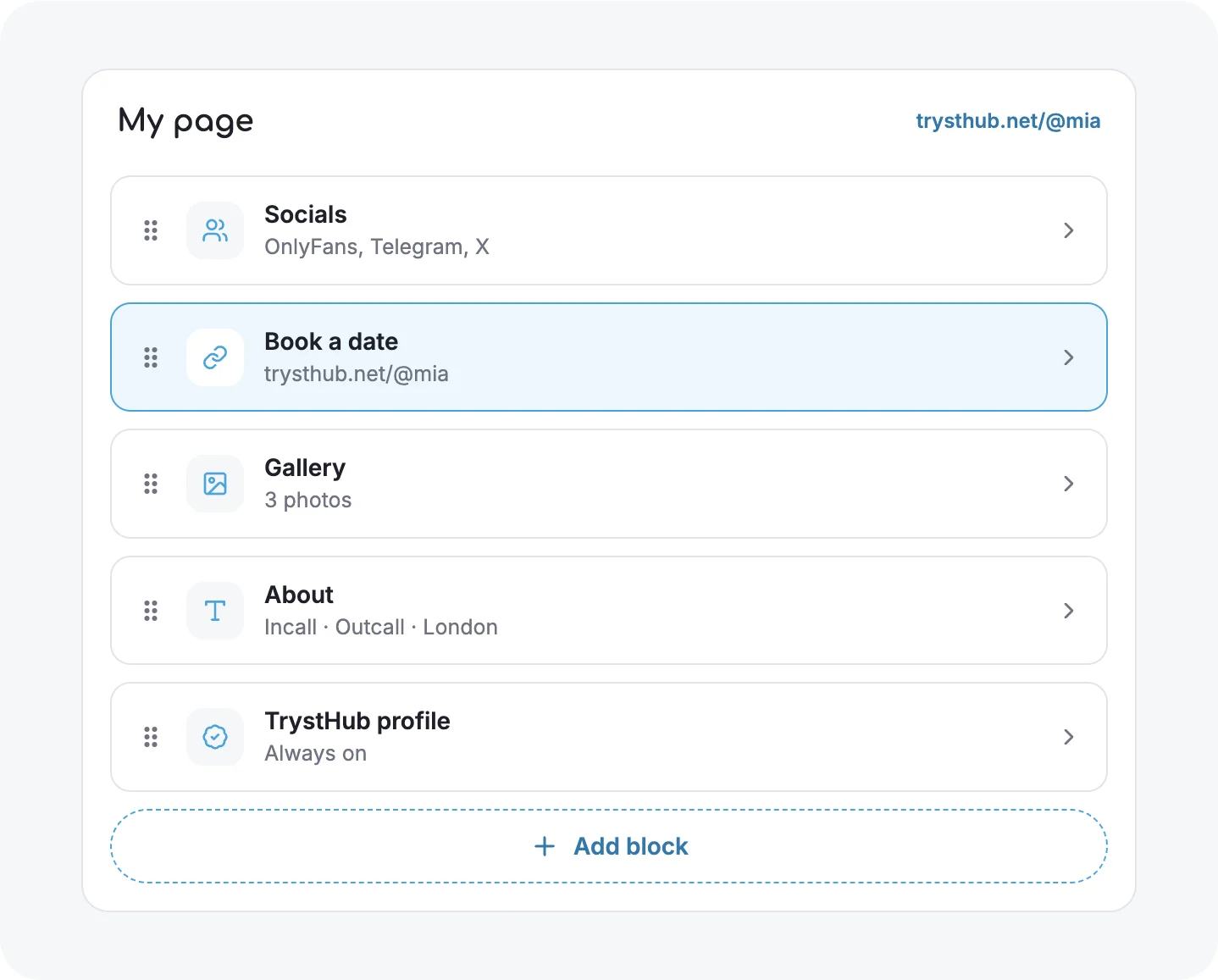
Blocks on the left, your page on the right.
3. Connect your socials
Pick a network and type your @. The link builds itself: OnlyFans, Fansly, X, Instagram, Telegram, WhatsApp, Signal, Reddit, Bluesky and others. Each one shows up as a full-width button with its icon.
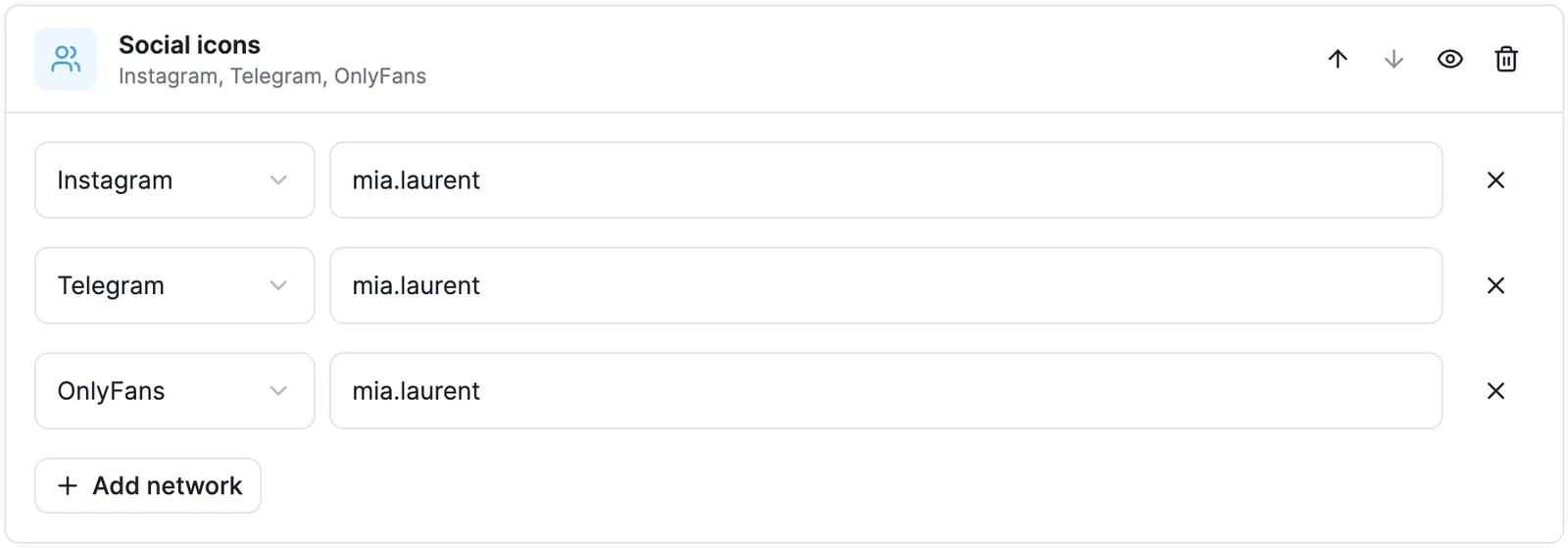
Type the @, the link builds itself.
4. Pick a look
Choose one of four templates, then set your own background and button colours. The editor won't save a pair that's hard to read.
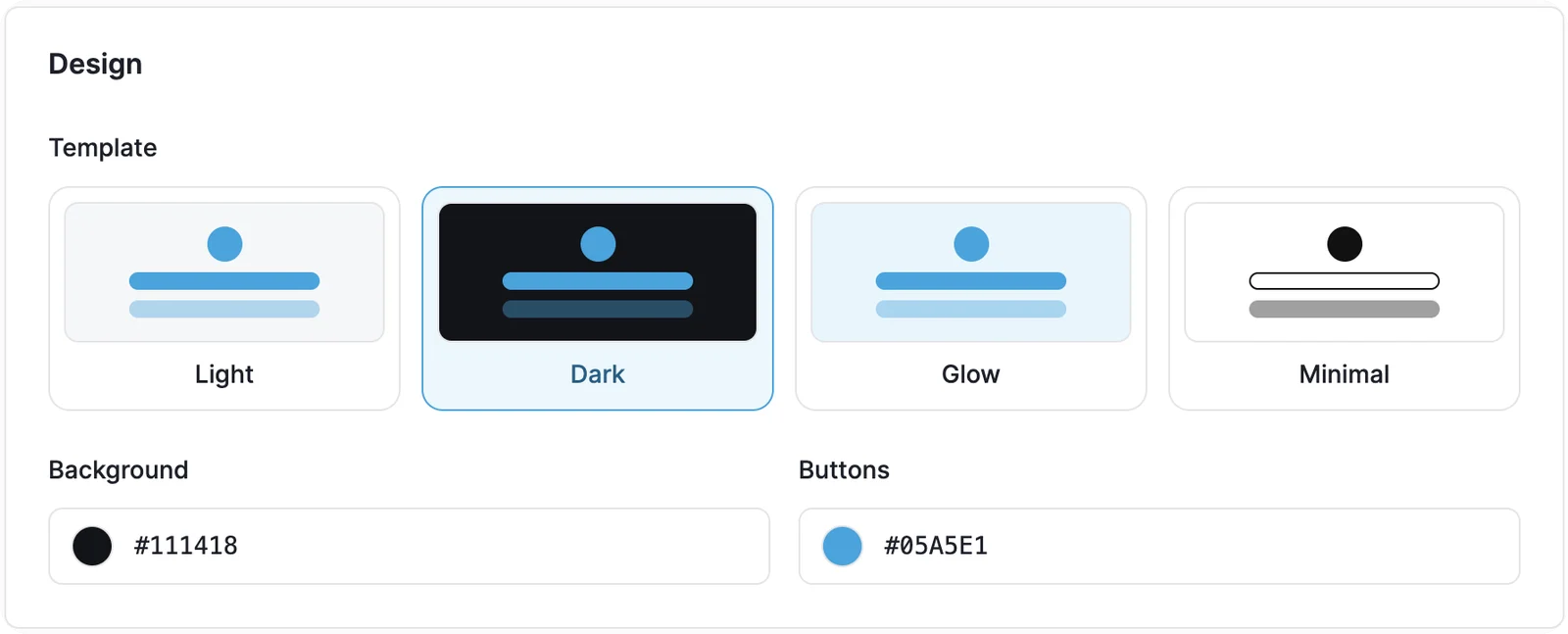
Four templates and your own colours.
5. Add booking and tours
If you have a live profile in the catalog, two more blocks open up. Booking sends clients to a request form, and the requests land in your cabinet. Tours pulls your upcoming trips from your profile, so you update dates in one place. Your TrystHub profile button is added for you.
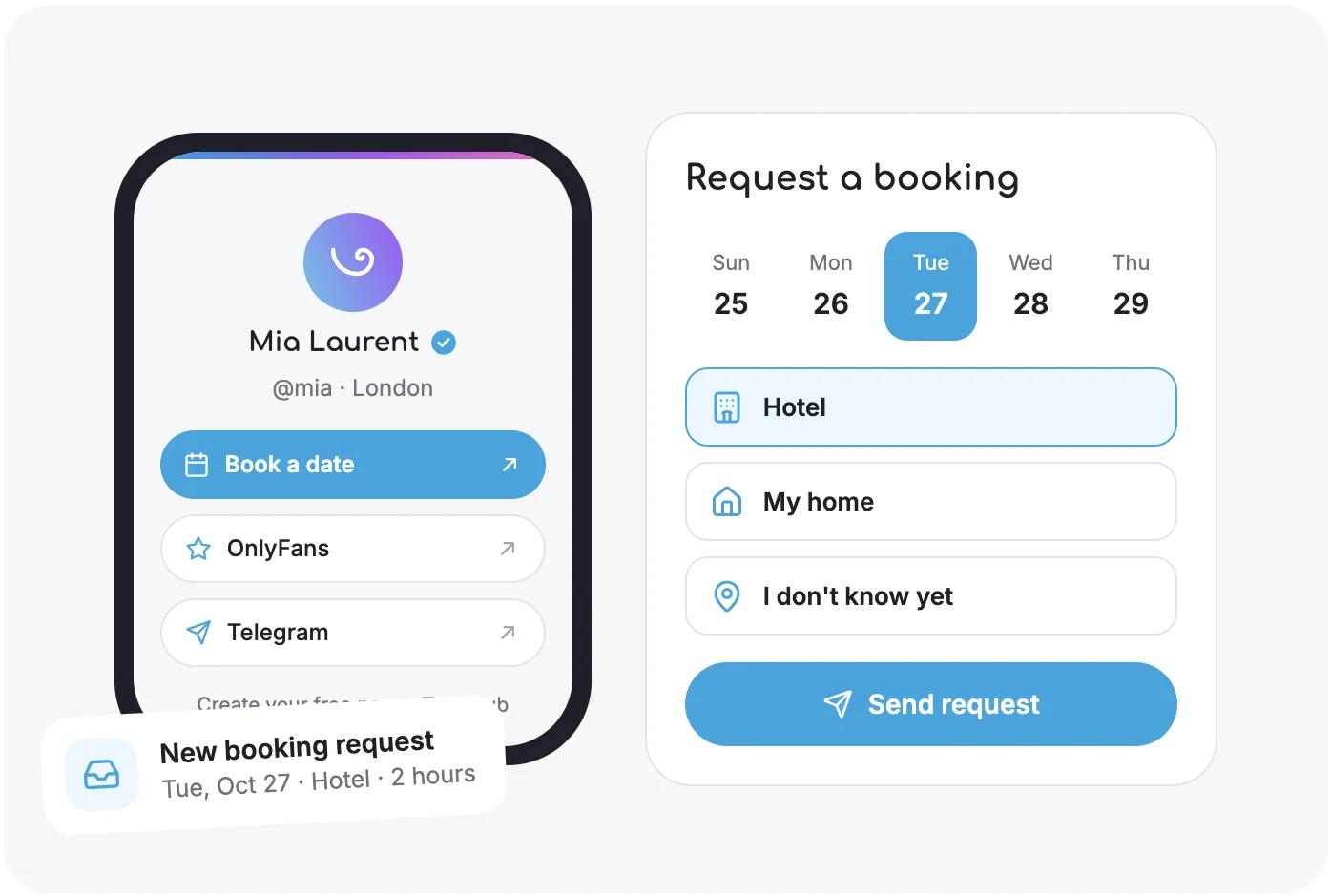
Booking works while your catalog profile is live. Example from the product page.
6. Paste the link and watch the stats
Put trysthub.net/@name in every bio. The cabinet shows visits, clicks on each link, countries and where people came from, so you can see which network actually brings bookings.
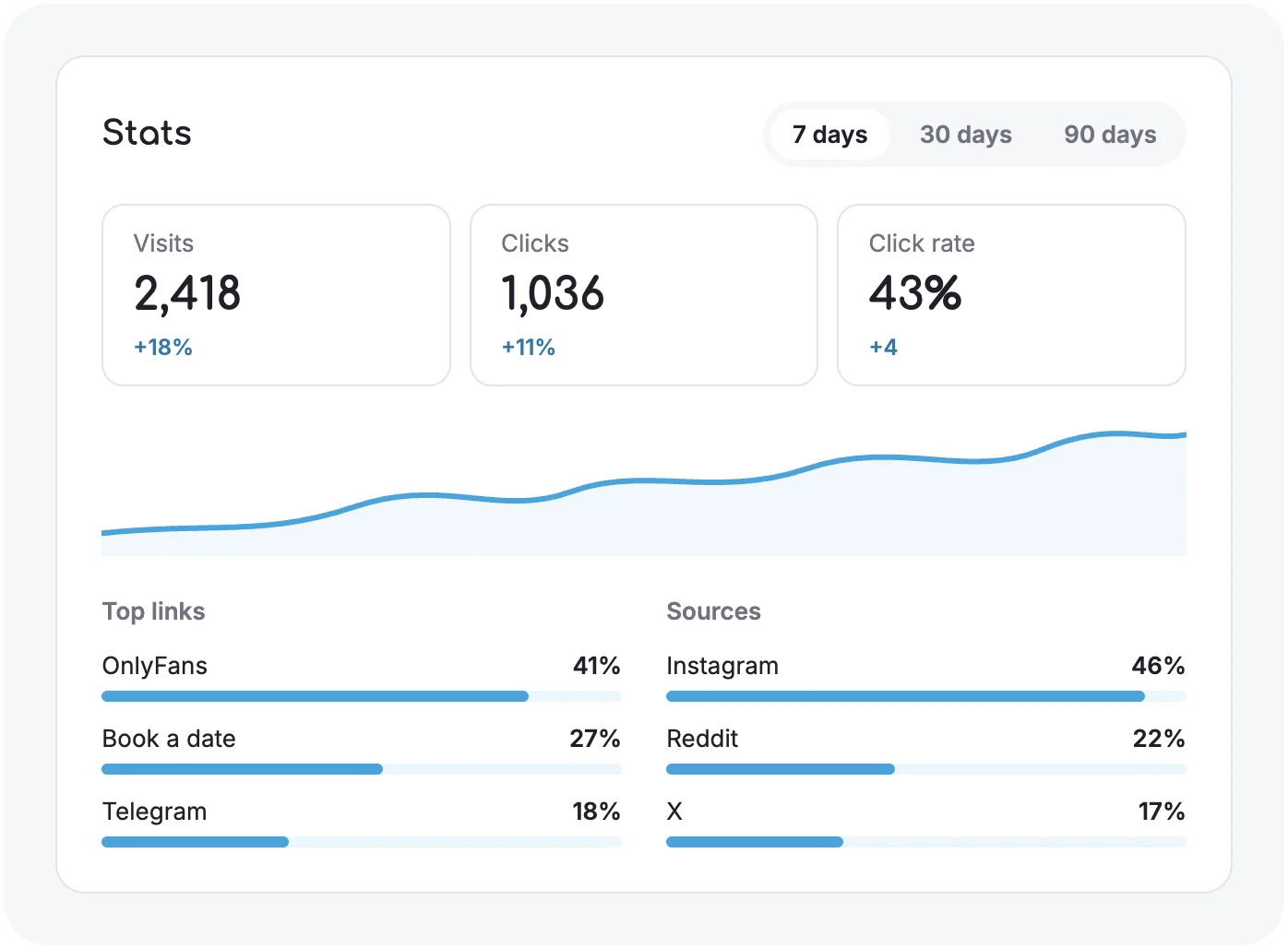
Visits, clicks and sources, no setup. Example numbers from the product page.
A few things happen on their own. Photo metadata is removed on upload. The page works in English, Russian, German, Spanish and Dutch, and the texts are translated for you. After you pass the ID check and your profile is live, the page shows the "Verified by TrystHub" mark.
Once the page is up, the next question is what to post on the networks that point to it. We cover that in our guide on promoting your escort profile on social media without getting banned.
Frequently Asked Questions
Can escorts use Linktree?
You can link to legal adult content if you mark it as sensitive. You can't advertise full-service sex work, and pages with booking links or escort profiles were removed in 2022.
Can I link my OnlyFans on Linktree?
Yes, Linktree allows links to adult media you sell on other platforms. Explicit images on the page itself and payments for adult content through Linktree are not allowed.
Is the TrystHub link in bio free?
Yes. The page and the stats are free, with no card. One page per account, agencies get up to 10.
Do I need a TrystHub profile or an ID check?
No, not to start. The profile button, booking and tours need a live catalog profile, and the verified mark needs the ID check.
Can I change my @name later?
Your @name is the address in all your bios, so pick the one you already use. If you change it, update the link everywhere it's posted.